Ignite AI · Our Portfolio Built with AI

Brilliance Labs uses Claude to build apps, games, research tools, short films, and much of our back office, with a staff trained in theology and cross-cultural leadership, not programming. This page collects the public ones you can try, explains how our private Bible research library works, and describes what we built for our own work. We add new projects as we build them.

Featured Project · Bitcoin for Missions

The Missions Funding Map

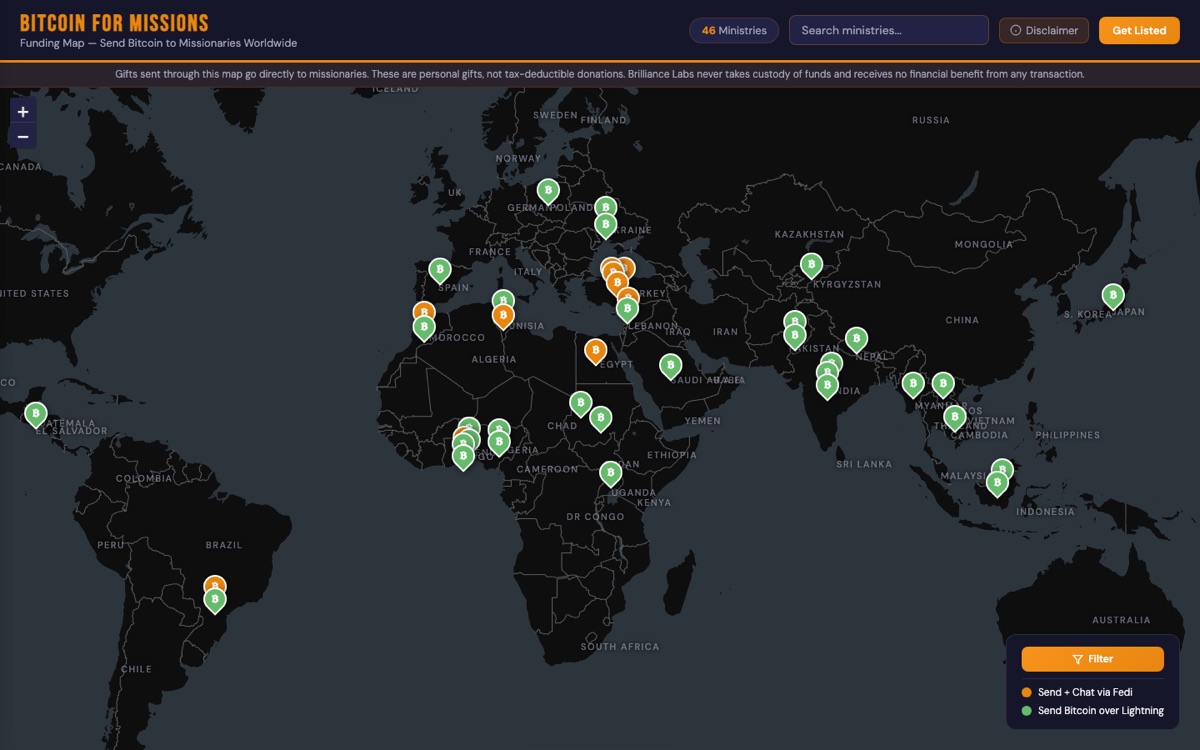
A map of missionaries around the world that anyone can give to directly in Bitcoin. We built it with Claude in about ten days, connected it to the Fedi community app, and used it to send a grant straight to missionaries from the stage of our first Bitcoin for Ministry Summit.

The Bitcoin for Missions Funding Map: a dark world map with ministry pins across Africa, Asia, Europe, and Latin America.

Why We Built It

Mission agencies struggle to get money to workers in places like India, Turkey, and Sudan. Wires get blocked, delayed, or eaten by fees, and receiving money can put field workers at risk. In our research with mission organizations, 75% of field workers had faced funding delays and security incidents connected to receiving funds.

The map lets a donor find a missionary, read about their ministry, and send Bitcoin directly to them over Lightning or through Fedi, with no bank in the middle.

How we built it: in Claude’s desktop app, with our shared Supabase database behind it. Missionaries apply through a form, our team approves each listing from an email, and each pin shows the ways to give.

  1. FEB 2026

    Partnering with Fedi

    We set up a Fedi community for our network, with an announcements channel and a group chat, on a federation run with Fedi’s partners. Fedi’s team helped us plan onboarding for people who had never used Bitcoin.

  2. MAR–APR 2026

    The Map Inside Fedi

    Inside the Fedi app, the map opens as a mini-app. It recognizes that it’s running in Fedi, so a donor can tap a missionary and pay without leaving the page, and see a confirmation when the gift goes through.

  3. APR 2026

    A Grant Paid in Bitcoin

    The Paystand Foundation gave us a grant of 0.043 bitcoin for the summit. Fedi turned it into printed e-cash certificates worth about $58 each, and we taped one to every attendee’s name badge.

  4. APR 8, 2026

    Sent from the Stage

    At our first Bitcoin for Ministry Summit in Arlington, Texas, mission finance leaders scanned their certificates, joined our Fedi community, and sent the bitcoin to missionaries of their choice on the map, from their own phones, with Fedi’s team on hand to help.

Try It Yourself

More Apps and Games

None of us are programmers. Our training is in theological studies and cross-cultural leadership. We built each of these by describing what we needed to Claude, mostly in Claude Code, and testing it until it worked. We didn’t hire a development firm for any of them. Each card shows when we first built it.

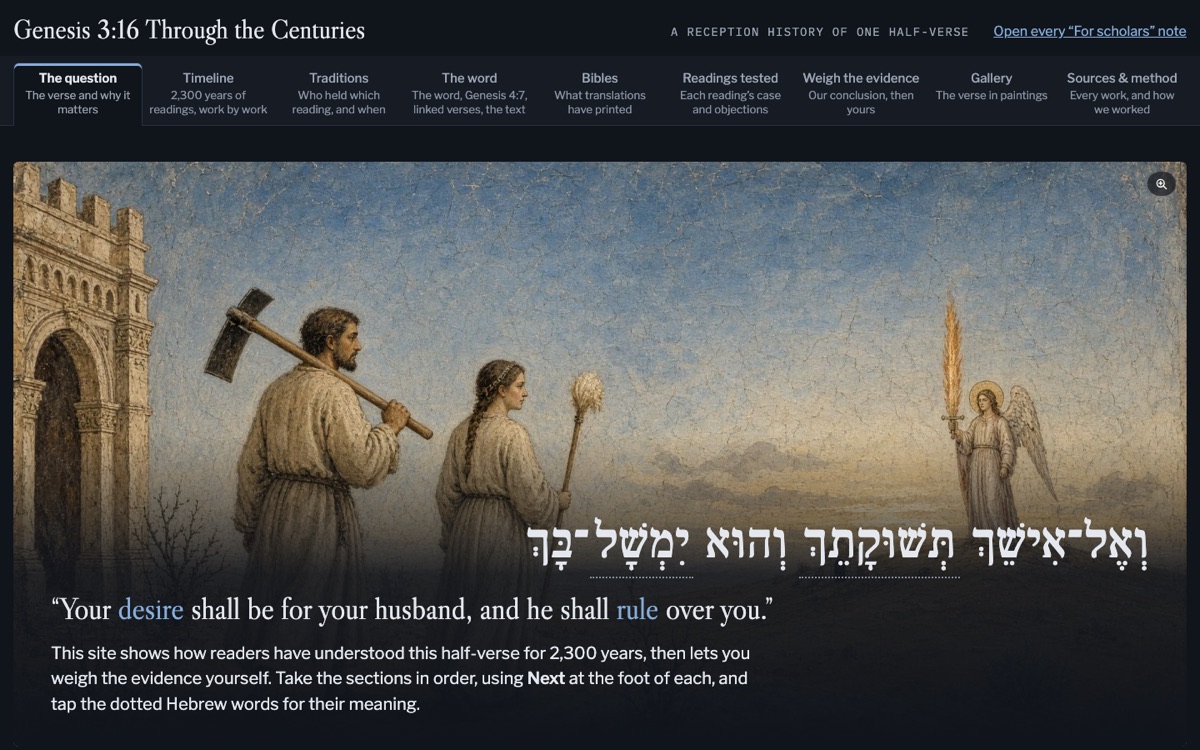
The Genesis 3:16 Through the Centuries site: the Hebrew half-verse over a painting of Adam and Eve leaving Eden, with tabs for the timeline, traditions, the word, Bibles, readings tested, and sources.
  • Research
  • Bible library

Built Oct 2026

Genesis 3:16 Through the Centuries

How readers have understood “your desire shall be for your husband, and he shall rule over you” over 2,300 years, from the Greek translation of the third century BC to journal articles from 2025. The site tests each reading against the evidence, gives our conclusion, and lets you weigh the evidence yourself.

How we built it: Claude searched our private Bible research library in three rounds, coded each reading with a written codebook, and checked every quotation against its source by script. Six separate reviews tried to find errors, and several claims were corrected or withdrawn. The artwork was made with Grok’s image generator.

Open the Study →
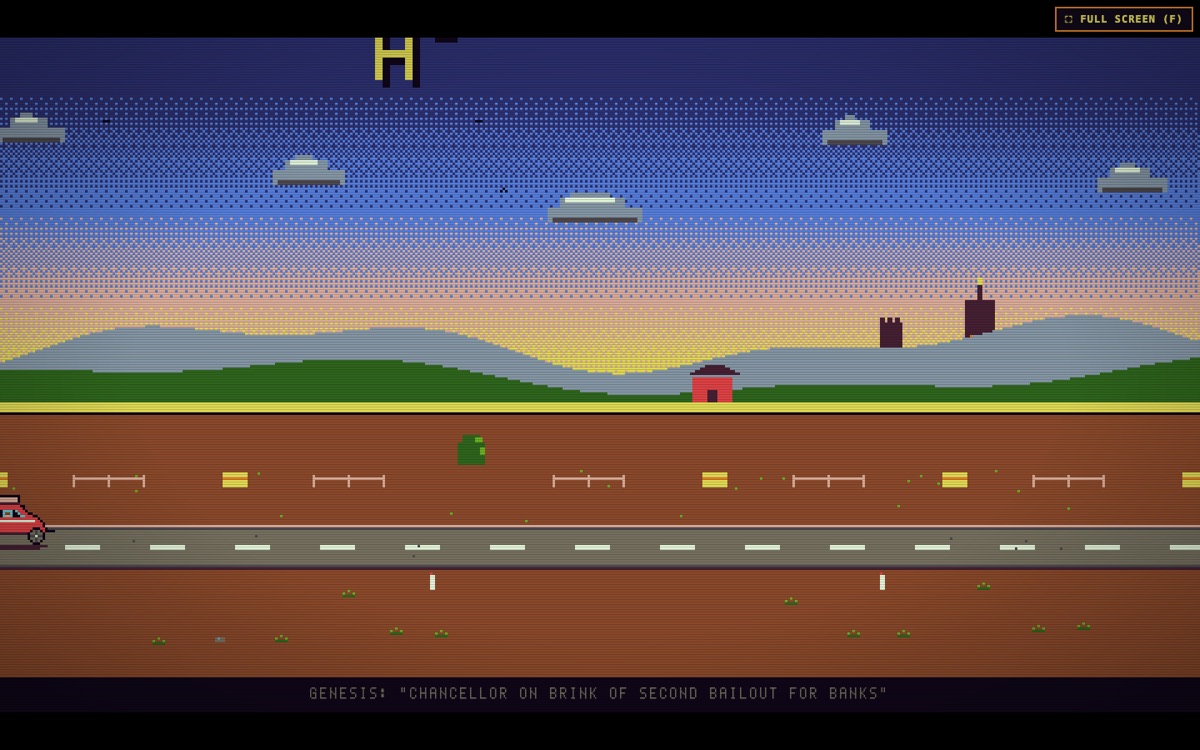
HODL Trail: a pixel-art car on a desert road at sunset, with a caption from the Bitcoin genesis block about a second bank bailout.
  • Game
  • Bitcoin

Built Aug 2026

HODL Trail

A road-trip game through Bitcoin’s history, starting in 2012. Players learn self-custody, and they learn to avoid leverage by losing to it: “You have died of leverage.”

How we built it: Claude Code, in about two weeks. It has automated tests and a simulator that plays 500 games to set the difficulty.

Play HODL Trail →
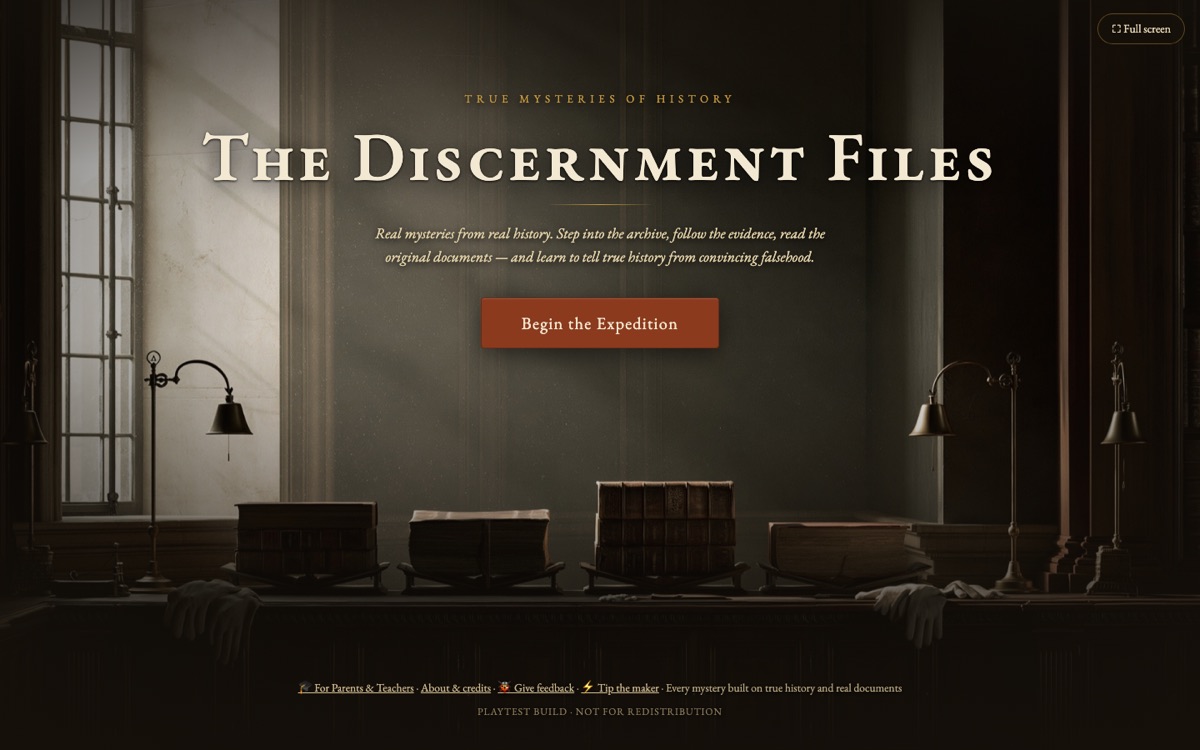
The Discernment Files title screen: a dim archive reading room with lamps and old books, and a Begin the Expedition button.
  • Game
  • Education

Built Jun 2026 · Playtest version

The Discernment Files

History mysteries for homeschool and classical high school students. Players read original documents and learn to tell true history from convincing falsehood. Episodes include the Dead Sea Scrolls, Benedict Arnold’s cipher, Jekyll Island, and the Flood.

How we built it: Claude Code. Several Claude agents checked the history in each episode, and every named figure is real. The art was made in Midjourney.

Play the First Episode →
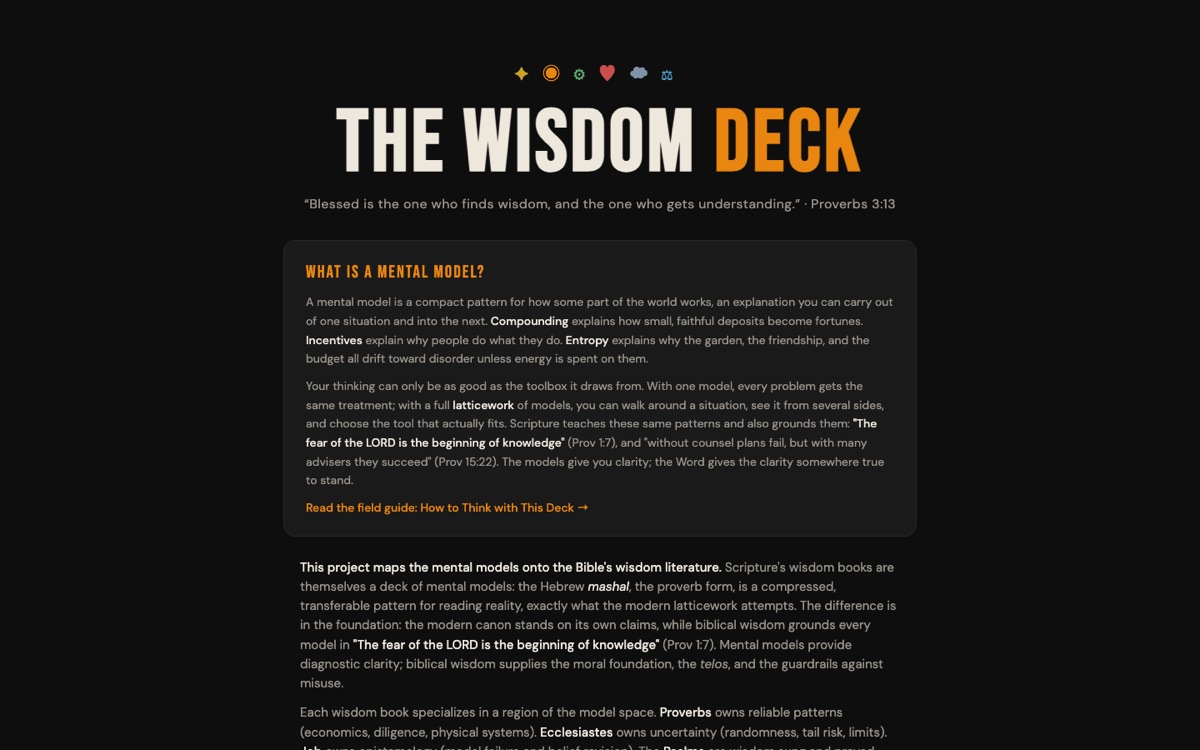
The Wisdom Deck home page: the title over Proverbs 3:13 and an introduction to mental models.
  • Formation
  • Card deck

Built Jul 2026

The Wisdom Deck

Seventy-one mental models, such as compounding, incentives, and entropy, each paired with passages from Proverbs, Ecclesiastes, Job, and the Psalms.

How we built it: it started as a set of meditations we wrote with Claude for our Training for Fruitful Living course, and became a website built with Claude Code.

Open the Deck →
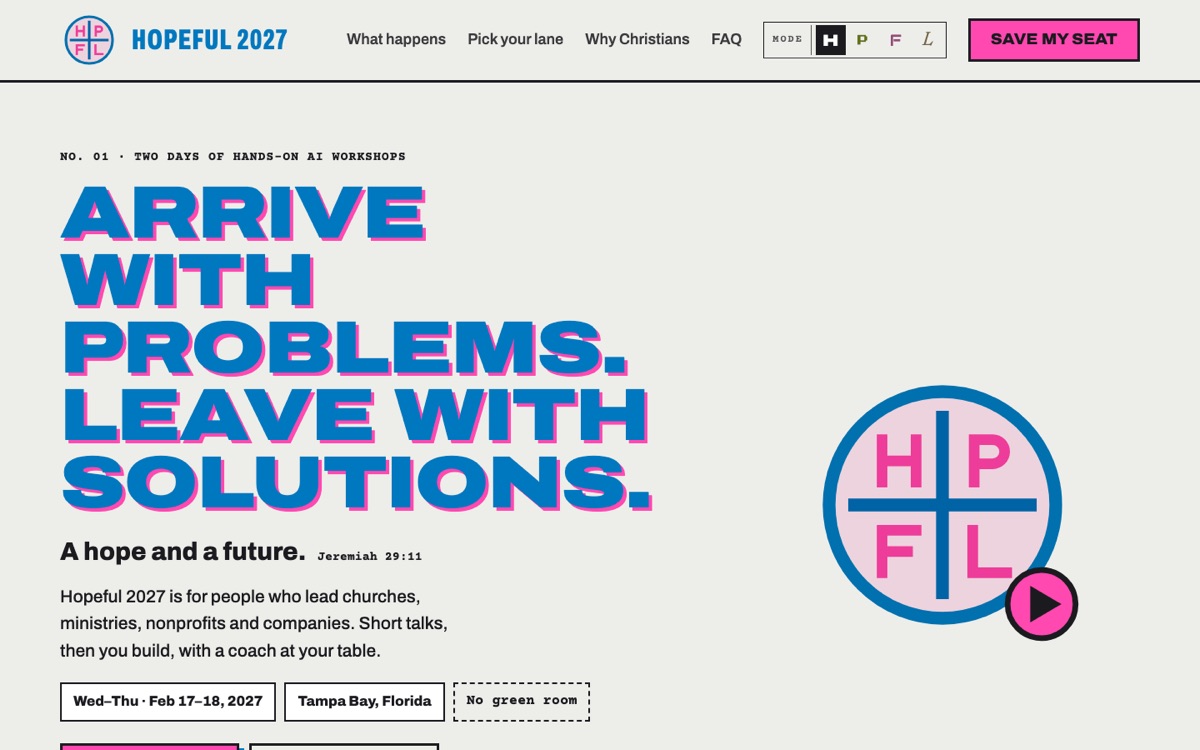
The Hopeful 2027 home page: Arrive with problems. Leave with solutions. Two days of hands-on AI workshops, February 17 to 18, 2027, Tampa Bay, Florida.
  • Event
  • Website

Built Oct 2026

Hopeful 2027

Two days of hands-on AI workshops for leaders of churches, ministries, nonprofits, and companies. Short talks, then you build, with a coach at your table. February 17–18, 2027, in Tampa Bay. Brilliance Labs runs it, and our primary collaboration partner is Ligonier Ministries, working with us through Ligonier Labs, its innovation and AI team.

How we built it: we planned it as a team in recorded conversations, and our executive director led the build with Claude: the brand, the website, seat reservations, and team sign-up links.

See Hopeful 2027 →
Motion Graphics

Two Short Films

Claude animated both films in code in a browser page, using our own colors and type. Claude Code then mixed the sound and put together the final video files.

  • Animation
  • 0:52

Made Nov 2026

The Brilliance Labs Film

Why the same problems keep coming back, and how we come alongside Christian builders working upstream. A hand-drawn style city plan, a furnace and a river carry the story, set to “Contagious” by Beautiful Eulogy (Humble Beast).

How we built it: Claude animated it as a browser page, and Claude Code edited the soundtrack to the picture with ffmpeg. It plays on our homepage.

Open the Film Page and Words on Screen →
  • Event trailer
  • 0:45

Made Oct 2026

The Hopeful 2027 Trailer

The hpfl.ai website comes to life. The site has a different look for each of the event’s four tracks, and the trailer moves through all four.

How we built it: Claude animated it from the site’s own colors and code, rendered it at 1920×1080, and Claude Code mixed the music and sound effects with ffmpeg.

Visit hpfl.ai →
Our Bible Research Library

A Private Library Claude Can Search

Our most-used project is a search engine for a pastor’s own library. It runs on a Mac mini in our office, finds the passages that bear on a question, and gives Claude only those passages to work from, each with its source.

A pastor builds up hundreds of commentaries, lexicons, journals, and sermons over a lifetime, and most of them go unopened on the day they would help. In September 2026 we started building our own Bible research library, from commentaries, lexicons, and journals to public-domain works from the Church Fathers to Spurgeon. We keep adding to it.

The method is called retrieval-augmented generation, or RAG. The search engine retrieves the most relevant passages from the library first. Claude then generates its answer from those passages only and cites each one. It is instructed never to invent a source, a quotation, or a date.

Everything except Claude itself runs on our own computers. The full books stay there. When Claude answers a question, it sees only the passages the search returned for that question.

Thousands

of books, journal articles, and collected works, from Bible texts and lexicons to sermons and theology

Every era

of the church, from the Church Fathers through the Reformers and Puritans to today

Every verse

linked to the sections that discuss it, so a passage lookup takes one step

Since Sep 2026

in use, and growing as we add resources and improve the search

Resources by Era

Patristic · Medieval · Reformation · Puritan · 18th–19th century · Modern

Every resource is recorded with its author, dates, tradition, and era, so each search result says who wrote it and when.

How We Built It

How the Library Works

We build and maintain it with Claude Code. Every part runs on our own hardware except Claude, and a ministry with its own library could build the same thing.

See how it works: six steps
  1. STEP 01

    Collect the Text

    We gathered commentaries, lexicons, journals, and sermons into one library on our own computer. We added public-domain works from the Christian Classics Ethereal Library, Project Gutenberg, the Early English Books transcriptions, Wikisource, and the Internet Archive, and journals that publishers post free, such as Tyndale Bulletin, Themelios, and the Journal of the Evangelical Theological Society.

    Every resource has an entry in a register with its author, dates, tradition, and era, so every search result says who wrote it and when.

  2. STEP 02

    Divide It into Sections and Tag the Verses

    Each resource is cut into short sections, all stored in one database file. Each section is linked to the Bible verses it discusses. A request like “everything the library says on Romans 7:24” becomes a single lookup. It returns our own saved study notes first, then study Bible notes, commentaries, sermons, and the other works that cite the verse.

    We also tag sections with theological and pastoral topics, such as assurance, grief, and perseverance. Blind hand checks show the tags are a strong starting point but not complete, so we use them to find more material, never to filter search results.

  3. STEP 03

    Search Two Ways at Once

    Keyword search. A full-text index (SQLite FTS5) finds exact words and phrases. It keeps quoted phrases together, drops common words, and strips accents and vowel points, so a Greek or Hebrew word matches with or without them. Lexicons are also searched by headword.

    Meaning search. An embedding model, Qwen3-Embedding 4B, runs on the Mac mini through Ollama. It turns each section into a list of 1,024 numbers that describe what the section means. A question about burnout then finds a sermon on being “weary in well doing” even though the word “burnout” never appears. A compact copy of those vectors stays in memory, so a meaning search doesn’t have to read the whole database each time.

    The two result lists are merged by rank, and the best candidates go to the next step.

  4. STEP 04

    Rerank the Candidates

    A second local model reads the question beside each candidate section and scores how well the section answers it. We use Qwen3-Reranker 4B, which the search engine starts on demand with llama.cpp. On our test questions, the reranker puts the right source near the top far more often than search alone. We switch models when a better one proves itself on the same tests.

  5. STEP 05

    Connect Claude Through Our Own MCP Server

    MCP, the Model Context Protocol, is the standard way to give Claude a tool. We wrote a small MCP server in Python that gives Claude eight tools: search the library, list everything on a passage, show what the church has said on a passage era by era, list sections on a topic, read a passage in several Bible versions, list the resources, start a sermon research report, and save a study note.

    The server runs on the Mac mini as a background service. Our laptops reach it over Tailscale, a private network that only our own devices can join, so the library is available from home, the office, or a conference without being open to the internet.

  6. STEP 06

    Test It and Fix What Breaks

    We keep a set of test questions whose right answers we checked by hand: topics, word studies, lexicon headwords, and passages. After every large import we run the whole set. The report shows how often the right source made the top results, and at which stage each miss was lost: keyword search, meaning search, merging, or reranking. Then we fix the weakest stage and run the tests again.

    Other checks run alongside it. An audit checks each saved resource for missing pages. A script checks every quotation word for word against the library. Another check confirms the fast in-memory copy of the vectors ranks results the same way as the full copy. Before any script changes, we save a backup copy so the change can be undone.

The Books Stay Here

The full text stays on our own computers. Claude sees only the passages a search returns, and we publish only short quotations with their sources.

A Person Decides

The library gathers and sorts, and Claude drafts. The pastor reads the sources, weighs them, and preaches. Reports label Claude’s writing as a draft, as our AI framework asks.

We Name the Gaps

About two-thirds of the library is Protestant and three-quarters is in English. Orthodox and later rabbinic writers are thin. Our studies say so where it matters.

What the Library Produces

Reports We Can Build from a Passage

The same research engine produces several kinds of reports. Each one quotes books and articles we can use for our own study but can’t republish, so we keep the reports themselves private and describe them here.

For Sunday · under 200 pages

Sermon Research Report

Our standard report for preparing a sermon. Part 1 is Claude’s study of the passage in 12 steps, from genre and the original text through word studies, context, biblical and historical theology, to ranked options for the sermon. Parts 2 to 4 print the major commentaries, key journal articles, and sermons on the passage, with an appendix of everything else.

On request · no page limit

Comprehensive Scripture Report

Everything the library holds on a passage, for deep study or a teaching series. These can run to thousands of pages. Our comprehensive report on Romans 7:14–25 had word studies on 12 Greek words and every commentary section on the passage.

Research project

Reception History

How the church has read a text across the centuries, era by era, with each reading weighed against the evidence. Genesis 3:16 Through the Centuries is an example.

Every morning

Morning Study Collection

The day’s readings from our reading plan, a classic sermon on the text, a Hebrew lesson, a Greek exercise, a catechism question, and a prayer. It arrives as a PDF, an ebook, and an audio file read by a voice model on the Mac mini.

See One Day →
Free Resources

Free Downloads

Enter your email and we’ll send the download. We’ll also invite you to occasional lab updates, which you can decline. We never sell or share your email.

Free download · PDF

Beginning with Moses: A Two-Year Bible Reading Plan

Reading the whole Bible as the story of Christ (Luke 24:27). The Old Testament once in the order of the Hebrew Bible, the New Testament twice beside the books it draws on, and the Psalms and Proverbs twice. Five readings a week, starting any day. You’ll get the two-page plan and the companion booklet, which lists the links between the readings day by day.

Free download

Ministry AI Starter Kit

Plain-English workflow guides for grant proposals, board finance reports, a church AI policy, donor follow-up, a searchable sermon library, and more. Each comes with a prompt you can paste into any AI chat. Includes our Ministry Prompt Library and free skills.

Read online · no sign-up

A Christ-Centered Framework for Using AI

The six principles and four filter questions we apply to every project on this page, including limits for AI tools that act on their own. We update it as our practice grows.

Read the Framework →
Internal Tools

What We Built for Ourselves

Most of what we built with Claude is private because it holds client, donor, or grantee data. These summaries describe each tool without the data.

BUILT APR 2026

Frontier Finance Client Portal

A dashboard, admin panel, and partner survey behind a login for our cross-border payments consulting. We built it in Claude’s desktop app and hardened it in Claude Code with a security review and automated checks on the live site.

BUILT 2026

Portland Granting System

Years of grant spreadsheets live in one database, with every award tied to its application, a live dashboard, and impact reports that grantees file themselves, with their photos and receipts.

BUILT MAR 2026

One Shared Database

Every form, portal, and email on this site writes to the same database, from blog posts and grant applications to the funding map, client records, and event registrations. No one copies records by hand.

BUILT 2026

Bookkeeping and Board Reports

When our bookkeeper retired, our treasurer set up a Claude process for the monthly close, and the treasurer reviews every entry. Claude also helps with the annual budget, board packets, and the treasurer’s reports.

ONGOING

Fundraising and Research

Grant proposals, research briefs, and donor follow-up. Claude helped with the white paper on Bitcoin treasury strategy for mission agencies, and with the proposal that funded our Bitcoin pilots with HOPE International and ENLACE.

BUILT MAR 2026

Mission Control

A task manager our staff and AI agents share, and our first Claude Code project. An AI agent on one of our Mac minis checks the list on a schedule and picks up the tasks assigned to it.

How we test and improve each report

Every report type goes through the same testing before we rely on it, and again after any major change. The examples below come from the November 2026 version of the Sermon Research Report.

  1. STEP 01

    Write Down the Method First

    We gave Claude a written framework of 12 steps from text to sermon, drawn from standard evangelical teaching on exegesis and preaching: Jason DeRouchie and Andrew Naselli on moving from the text to theology, Timothy Jenney on context, Bryan Chapell on the Fallen Condition Focus, and Sidney Greidanus on preaching Christ from the Old Testament. The framework went through several drafts, and we revise it as we learn.

  2. STEP 02

    Set the Rules for Claude’s Role

    Claude is the librarian and study partner, not the preacher. In the exegesis steps it weighs the evidence and says where it leans, the way a commentary does. In the sermon steps it offers several ranked options for the main idea, the outline, the illustrations, and the applications. It never drafts the sermon.

  3. STEP 03

    Test on Different Kinds of Text

    We build full reports on passages from different genres. For the November 2026 version we used four: an argument in Romans 7:14–25, a narrative in Genesis 22:1–19, prophetic poetry in Isaiah 40:1–11, and a parable in Luke 15:11–32. A method that only works on epistles isn’t ready.

  4. STEP 04

    Review Each Report from Three Angles, Then Again

    Each report went to three separate AI reviewers with different jobs. One checked scholarship and accuracy, tracing dozens of quotations and attributions per report back to the library. One read as a preaching teacher would and graded how useful the report is for the pulpit. One checked every illustration and source. Claude revised the study, and a fourth reviewer checked whether every must-fix item was done.

    The reviews found real problems. In one report, three illustration sources printed the wrong passage, and a scholar was cited for a view he rejects. Fixes that apply to every report went into the scripts or the framework, so the next report starts better.

  5. STEP 05

    Check It Automatically Every Time

    A checking script runs before any report is finished. It confirms that every quotation can be found in the report or the library. It also confirms the study gives at least three options at each sermon step, contains no drafted sermon, and stays within its length. The report is then printed and trimmed until it fits under 200 pages.

  6. STEP 06

    Learn from the Pastor

    After reading a report, the pastor can mark which sources helped and which didn’t. The library ranks those sources higher or lower the next time that passage comes up. Before a new version goes into use, a final independent check grades each test report. Every test report for the November 2026 version earned an A and fit within the page limit.

Our Tools

The Software and Hardware We Use

A small setup built around the tools our AI connects to: everyday laptops, a couple of always-on computers, and services many ministries already pay for. We change tools when a better one proves itself.

AI

  • Claude on Anthropic’s nonprofit plan: the Claude app for thinking and writing, Cowork for documents and spreadsheets in our own files, and Claude Code for building software
  • Claude Duet, which reads the apps we connect and messages us first about what needs our attention
  • Grok for real-time news and research, and for images

Our Own Bible Library

  • Our Bible research library, indexed in SQLite on our Mac mini
  • Local AI models for search: Qwen3 embedding and reranking models through Ollama and llama.cpp
  • Kokoro, a local voice model, for the audio studies
  • Our own connector (an MCP server) so Claude can search it

Creative

  • Midjourney and Grok for artwork and images
  • Suno for music
  • ffmpeg, which Claude uses to mix sound and assemble our videos

Capturing What We Say

  • Granola records and transcribes our meetings and planning conversations
  • Superwhisper turns dictation into text on the Mac

What Claude Connects To

  • Google Workspace: Drive, Docs, Sheets, Gmail, and Calendar
  • Granola meeting notes, QuickBooks, and Klaviyo
  • Netlify, where our websites are hosted, and Supabase, our database
  • GitHub, Resend for email, Cloudflare Turnstile for form spam, Cal.com for scheduling, and Zaprite for Bitcoin payments, wired into our sites

Hardware

  • MacBooks for daily work, one for each of our staff
  • Mac minis that stay on: they run the Bible library, the local AI, and long jobs while we’re away
  • Our phones, to follow and approve work remotely
  • Tailscale, a private network that connects only our own devices
How it fits together: three examples

From a conversation to a live website

Hopeful 2027

  1. Our planning team talked through the event while Granola recorded it.
  2. Claude read the transcript and wrote a plan for the event and its website.
  3. We talked through the plan out loud, recorded again, and Claude revised it.
  4. Claude built the site. We reviewed it together, recording as we went, and Claude made the changes from each recording.

The first recording was on October 1, 2026, and a working first version with live sign-up forms went up the same day. GitHub, Netlify, Supabase, and Resend carried it to launch.

Research from anywhere

The Bible Research Library

  1. A pastor asks Claude about a passage, from a laptop or a phone.
  2. Claude reaches the Mac mini over our private network through our own connector.
  3. The Mac mini searches the library with its local models and returns the best passages with their sources.
  4. Claude writes from those passages only, and long reports keep running on the Mac mini after the laptop closes.

How the library works →

Back office

The Monthly Close

  1. Claude reads the month’s bank and account statements in our files.
  2. It drafts the journal entries for QuickBooks and a short memo explaining them.
  3. Our treasurer reviews every entry before anything is posted.

We built this after our bookkeeper retired. The steps became one of the free guides in our Starter Kit.

Wondering what this work would have cost to hire out? Read our November 2026 estimate and how we made it →

How We Work

Our Working Practices

The tools change every few months. These practices change more slowly. They follow the limits in our Christ-centered framework for using AI, and they are what we teach through Ignite AI Consulting.

  1. 01

    Talk First, Then Build

    Plans start as recorded conversations among our team (we use Granola). Claude turns the transcript into a plan, we review it out loud, and the next recording becomes the revision.

  2. 02

    Write Our Standards Down Once

    Our brand, our voice, our theological method, and our licensing limits are written as instructions every Claude session follows (Claude skills and project instructions). We don’t repeat them in every request.

  3. 03

    Let Sessions Work Together

    Claude sessions on different computers send each other notes and results directly, so no one copies context from one to another by hand.

  4. 04

    Give Each Session One Job

    A session with one clear task does better work than several running at once. Long jobs go to a background agent or the Mac mini, and we come back to the result.

  5. 05

    Keep Sensitive Data Close

    Our Bible library stays on our own computers, and client and donor data stays in our own database. Claude sees only what a task needs.

  6. 06

    Rehearse on Made-Up Data

    Anything that touches clients, donors, or money is tested on made-up records before it touches real ones.

  7. 07

    Review in Layers

    AI reviewers with different assignments check the work, scripts check what can be checked automatically, and then a person reads it and decides.

  8. 08

    A Person Approves Anything That Goes Out

    Changes are built on a copy and shown as a preview first. Nothing is published, sent, or charged until someone on our team approves it, and we know how to undo it.

If your church or ministry wants tools like these, we can help you decide where AI fits and build tools your own staff can run.

See Ignite AI Consulting →

Or come build with us at one of our hands-on AI events.

Portfolio last updated Nov 2026